FieldValue
Package@cometchat/chat-uikit-react
Key classShortcutFormatter (extends CometChatTextFormatter)
Required setupCometChatUIKit.init(UIKitSettings) then CometChatUIKit.login("UID")
Track character! — triggers shortcut expansion in the message composer
Sample appGitHub
RelatedCustom Text Formatter | All Guides
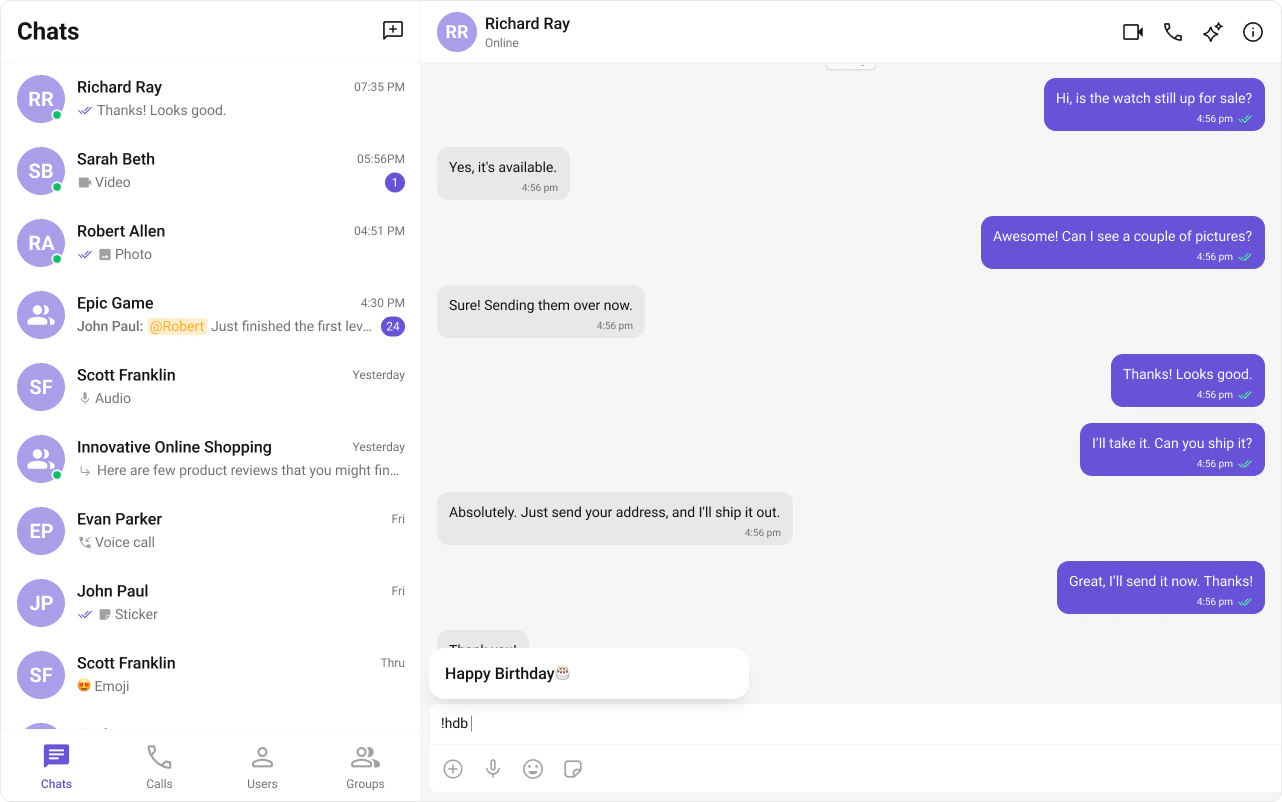
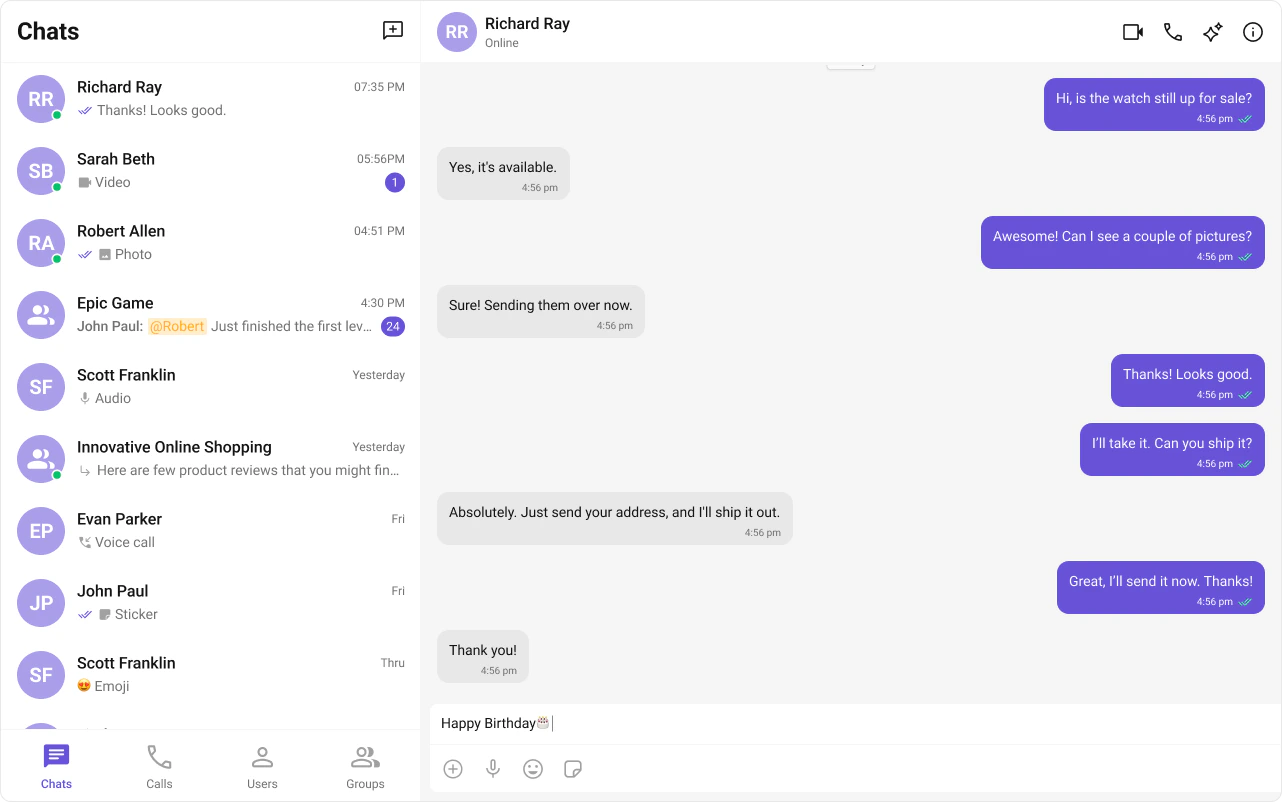
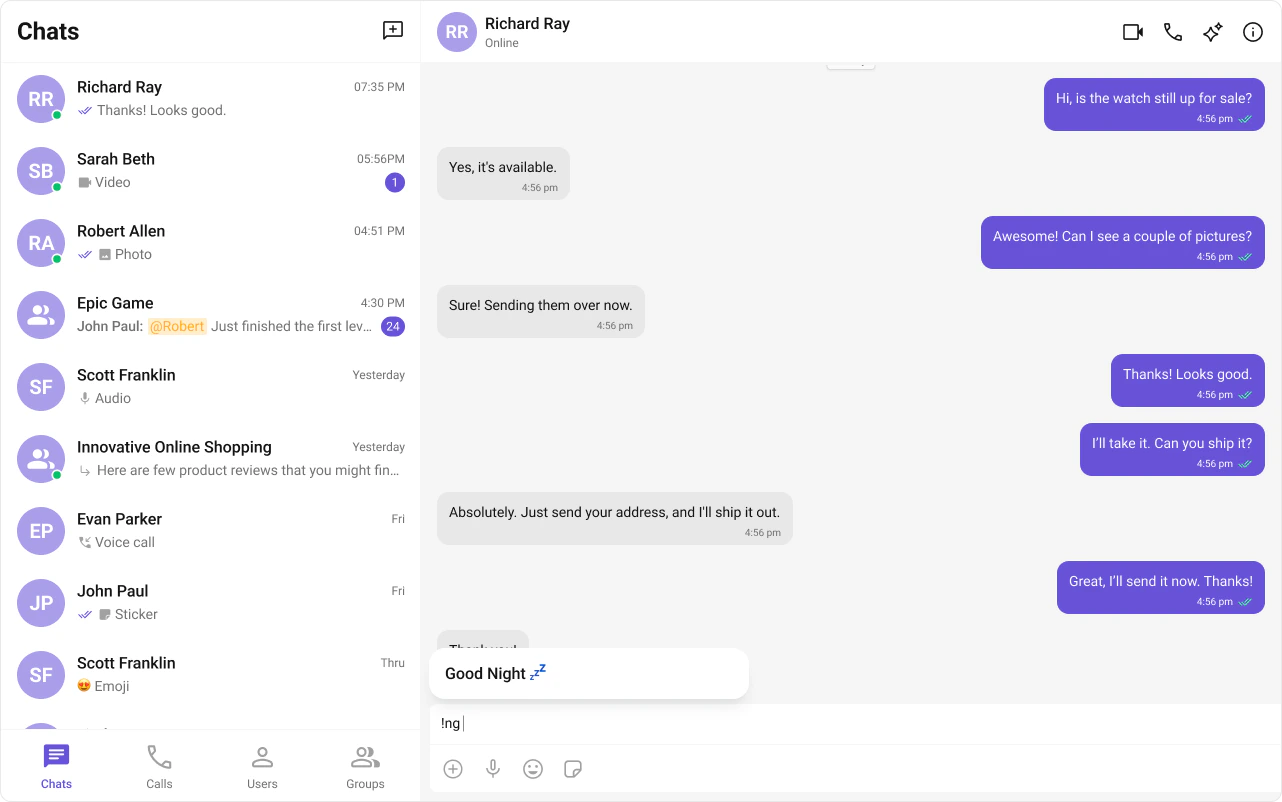
ShortCutFormatter extends CometChatTextFormatter to expand shortcodes (like !hb) into full text via the Message Shortcuts extension. When a user types a shortcut, a dialog appears with the expansion — clicking it inserts the text.
Steps

1. Import the base class

import { CometChatTextFormatter } from "@cometchat/chat-uikit-react";

2. Extend it

class ShortCutFormatter extends CometChatTextFormatter {
  ...
}

3. Set the track character

this.setTrackingCharacter("!");

4. Handle key events

Detect shortcuts on keyDown and trigger expansion logic.
onKeyDown(event: KeyboardEvent) {
  // Your implementation
}

5. Add dialog and formatting methods

openDialog(buttonText: string) { ... }
closeDialog() { ... }
handleButtonClick = () => { ... };
getFormattedText(text: string): string { return text; }
private getTextBeforeCaret(caretPosition: number): string { ... }

Example

Fetches shortcuts from the Message Shortcuts extension on init. On keyUp, checks if the text before the caret matches a shortcut and opens a dialog with the expansion.
import { CometChatTextFormatter } from "@cometchat/chat-uikit-react";
import DialogHelper from "./Dialog";
import { CometChat } from "@cometchat/chat-sdk-javascript";

class ShortcutFormatter extends CometChatTextFormatter {
  private shortcuts: { [key: string]: string } = {};
  private dialogIsOpen: boolean = false;
  private dialogHelper = new DialogHelper();
  private currentShortcut: string | null = null;

  constructor() {
    super();
    this.setTrackingCharacter("!");
    CometChat.callExtension("message-shortcuts", "GET", "v1/fetch", undefined)
      .then((data: any) => {
        if (data && data.shortcuts) {
          this.shortcuts = data.shortcuts;
        }
      })
      .catch((error) => console.log("error fetching shortcuts", error));
  }

  onKeyUp(event: KeyboardEvent) {
    const caretPosition =
      this.currentCaretPosition instanceof Selection
        ? this.currentCaretPosition.anchorOffset
        : 0;
    const textBeforeCaret = this.getTextBeforeCaret(caretPosition);

    const match = textBeforeCaret.match(/!([a-zA-Z]+)$/);
    if (match) {
      const shortcut = match[0];
      const replacement = this.shortcuts[shortcut];
      if (replacement) {
        if (this.dialogIsOpen && this.currentShortcut !== shortcut) {
          this.closeDialog();
        }
        this.openDialog(replacement, shortcut);
      }
    } else if (!textBeforeCaret) {
      this.closeDialog();
    }
  }

  getCaretPosition() {
    if (!this.currentCaretPosition?.rangeCount) return { x: 0, y: 0 };
    const range = this.currentCaretPosition?.getRangeAt(0);
    const rect = range.getBoundingClientRect();
    return { x: rect.left, y: rect.top };
  }

  openDialog(buttonText: string, shortcut: string) {
    this.dialogHelper.createDialog(
      () => this.handleButtonClick(buttonText),
      buttonText
    );
    this.dialogIsOpen = true;
    this.currentShortcut = shortcut;
  }

  closeDialog() {
    this.dialogHelper.closeDialog();
    this.dialogIsOpen = false;
    this.currentShortcut = null;
  }

  handleButtonClick = (buttonText: string) => {
    if (this.currentCaretPosition && this.currentRange) {
      const shortcut = Object.keys(this.shortcuts).find(
        (key) => this.shortcuts[key] === buttonText
      );
      if (shortcut) {
        const replacement = this.shortcuts[shortcut];
        this.addAtCaretPosition(
          replacement,
          this.currentCaretPosition,
          this.currentRange
        );
      }
    }
    if (this.dialogIsOpen) {
      this.closeDialog();
    }
  };

  getFormattedText(text: string): string {
    return text;
  }

  private getTextBeforeCaret(caretPosition: number): string {
    if (
      this.currentRange &&
      this.currentRange.startContainer &&
      typeof this.currentRange.startContainer.textContent === "string"
    ) {
      const textContent = this.currentRange.startContainer.textContent;
      if (textContent.length >= caretPosition) {
        return textContent.substring(0, caretPosition);
      }
    }
    return "";
  }
}

export default ShortcutFormatter;

Next Steps

Custom Text Formatter

Build custom inline text patterns.

Message Composer

Customize the message input component.

All Guides

Browse all feature and formatter guides.

Sample App

Full working sample application on GitHub.